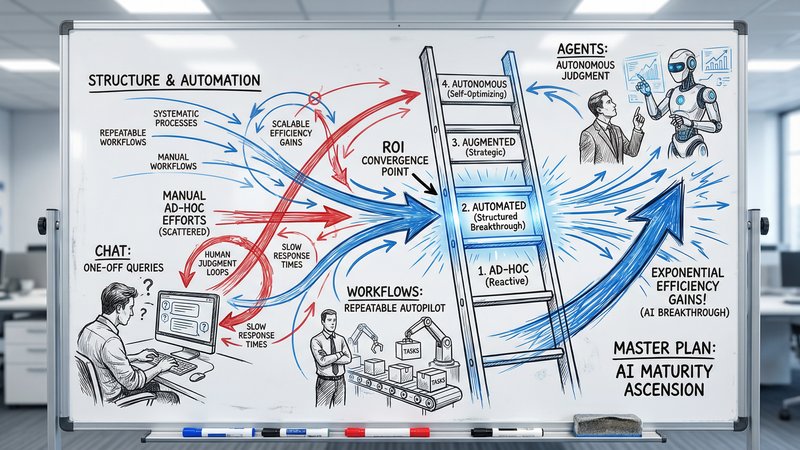
What Business Owners Need to Know About LLMs
LLMs power every AI tool you use, but most vendors won't explain how they work. Here are the concepts that change how you buy, evaluate, and negotiate AI.
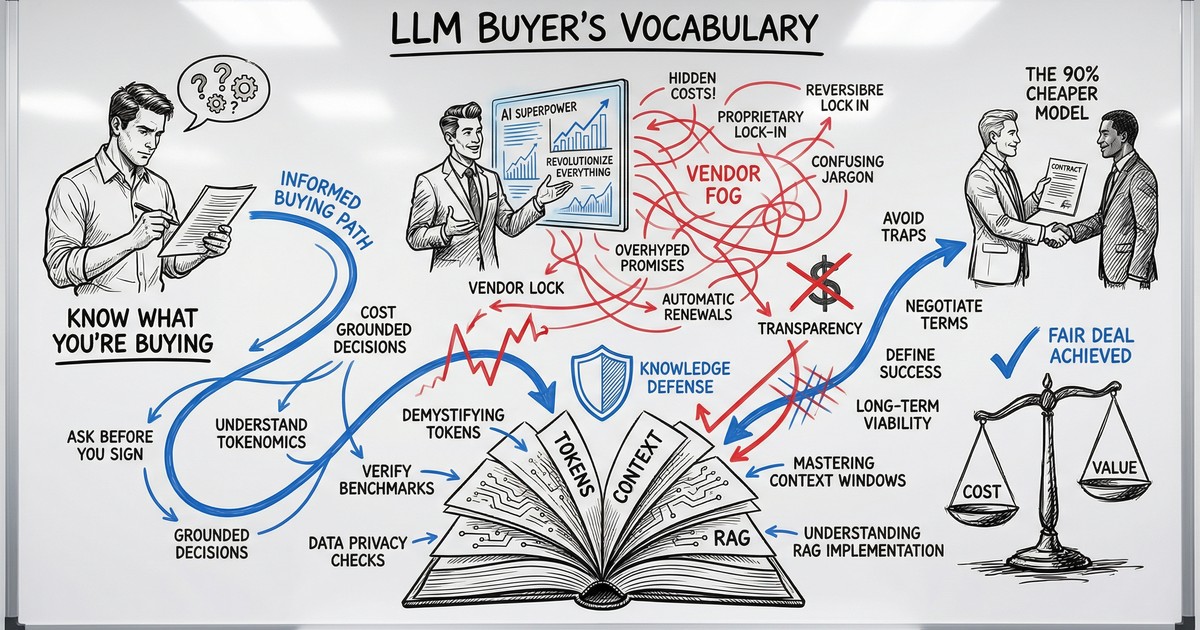
The Vocabulary Gap That Costs You Money
A vendor tells you their product uses “a fine-tuned model with RAG and a 128K context window.” You nod. You sign. Six months later, the tool hallucinates client data in a customer email, and you have no idea why.
This scene plays out constantly. The AI industry has made it remarkably easy to buy things you don’t understand. The terminology sounds technical enough to discourage questions, and most vendors prefer it that way.
You need about 20 minutes and a handful of concepts that change how these conversations go. That is what this article gives you.
What an LLM Actually Is (and Is Not)
A Large Language Model is a prediction engine. You give it text, and it predicts what text should come next. That is the entire mechanism.
When you type “Draft a follow-up email to a prospect who…” into ChatGPT, the model doesn’t understand your sales process. It has processed billions of text examples during training and learned statistical patterns about what words tend to follow other words. The result often looks like genuine understanding, and for many business tasks, that distinction doesn’t matter. The output is useful regardless.
Where the distinction does matter: LLMs have no memory between conversations (unless explicitly built in), no access to your business data (unless you connect it), and no ability to verify their own claims. They are confident pattern-matchers. Extremely capable ones, but pattern-matchers nonetheless.
The practical takeaway: When someone says “AI,” they almost always mean an LLM with some tooling wrapped around it. Understanding the LLM layer gives you an edge in every AI product conversation you will have.
The Models That Matter: Your Actual Options
The market has consolidated around five families that matter for business buyers. Each has a different strength.
| Model Family | Best For | Key Advantage |
|---|---|---|
| OpenAI (GPT-4o, o3) | General business tasks, Microsoft ecosystem | Broadest third-party integrations |
| Anthropic (Claude) | Long documents, nuanced writing, coding | 200K token context window |
| Google (Gemini) | Google Workspace users, massive documents | 1M token context window |
| Meta (Llama) | Data-sensitive industries, high-volume use | Open-source, runs on your servers |
| Mistral | EU businesses with data sovereignty needs | GDPR-native, European hosting |
Two things changed in 2025 that matter for buyers. First, “reasoning models” arrived. These are models that pause and think through multi-step problems before responding, and they are dramatically more reliable for complex business logic like financial analysis or contract review. Second, prices collapsed. GPT-4-level capability now costs roughly 10-20x less than it did in 2023. The economics of AI shifted dramatically.
The practical takeaway: You have real choices. The right model depends on your use case, your ecosystem, and your data sensitivity requirements. Your use case, your ecosystem, and your data sensitivity requirements should drive the decision.
Five Concepts That Change How You Buy AI
These are the terms that separate informed buyers from easy targets.
1. Tokens and Pricing
LLMs don’t read words. They read “tokens,” which are roughly three-quarters of a word. “Your quarterly report is ready” is about 6 tokens. You pay for tokens going in (your prompt) and tokens coming out (the model’s response).
Here is what that means in practice. Processing 10,000 customer emails per month (averaging 200 words each) costs roughly €10-35 depending on which model you pick. That is far cheaper than most people expect, and it is why per-token pricing matters more than monthly subscription fees at scale.
What to watch for: Vendors who quote flat monthly rates without explaining per-token economics may be building in massive margins. Ask for the math.
2. Context Windows
The context window is the model’s working memory. Everything it can see at once: your prompt, the documents you attach, and its own response.
Sizes vary dramatically:
- GPT-4o: 128K tokens (roughly 300 pages)
- Claude: 200K tokens (roughly 500 pages)
- Gemini 1.5 Pro: 1M tokens (roughly 2,500 pages)
If your use case involves analyzing long contracts, processing RFPs, or searching through months of correspondence, context window size should be a primary selection criterion. A model with a small window literally cannot see your full document.
The catch: Bigger windows cost more per query. And models tend to lose focus in the middle of very long inputs. More is not automatically better. Structure matters more than size.
3. Temperature
Temperature is a setting (0.0 to 2.0) that controls how predictable the model’s output is.
- Temperature 0: Same input produces the same output every time. Use this for data extraction, classification, invoice processing. Anything where consistency matters.
- Temperature 0.7: Balanced. Good for drafting emails, general Q&A, content generation.
- Temperature 1.5+: Highly creative, sometimes incoherent. Only useful for brainstorming.
Why this matters to you: If a vendor builds you a customer support bot and doesn’t mention temperature settings, they probably left it at the default. That means your customers might get different answers to the same question depending on when they ask. For any process that requires consistency, temperature should be set low and tested.
4. Hallucinations
Models sometimes state false information with complete confidence. This is not a bug that will be patched out. It is a structural characteristic of how prediction engines work.
The risk varies by task. A model summarizing a document you provided will hallucinate far less than a model answering questions from memory. The difference between these two setups is the difference between a reliable tool and a liability.
Three ways to reduce hallucination:
- Ground the model in source documents (give it the actual data, tell it to answer only from that)
- Constrain the output format (“respond with YES or NO only”)
- Add a verification step (a second model pass that checks the first)
The question to ask any vendor: “What is your hallucination mitigation strategy for our specific use case?” If they can’t answer specifically, they haven’t thought about it.
5. Model Selection
The most expensive model is not always the best choice. For most business tasks (email triage, data extraction, document summarization) a smaller, cheaper model performs 90-95% as well at 10-15% of the cost.
A simple decision framework:
- High-volume, repetitive tasks (sorting emails, classifying tickets): Use the cheapest model that passes your accuracy threshold.
- Long document analysis (contracts, RFPs, compliance reviews): Prioritize context window size.
- Complex reasoning (financial modeling, multi-step analysis): Use a reasoning model (o3, DeepSeek R1).
- Data-sensitive workflows (healthcare, legal, finance): Consider open-source models that run on your own servers.
The practical takeaway: Start with the cheapest model and move up only when you hit a quality ceiling. Most people start at the top and overpay for months.
The Three Approaches: Prompt Engineering vs. RAG vs. Fine-Tuning
When a vendor proposes a solution, it almost always uses one of three approaches. Understanding which one they are selling you, and why, is the single most valuable thing in this article.
Prompt Engineering
What it is: Writing better instructions for the model without changing the model itself.
Cost: Your time. Zero additional API cost.
When it works: 80-90% of business use cases. If you haven’t tried writing detailed, structured prompts with examples and constraints, start here before spending money on anything else.
Business analogy: Writing a better brief so a contractor delivers exactly what you need on the first try.
RAG (Retrieval-Augmented Generation)
What it is: Connecting the model to your actual documents and data. When you ask a question, the system automatically retrieves relevant information and feeds it into the prompt.
Cost: €5-20/month for embedding storage for a typical small business knowledge base, plus slightly larger prompts.
When it works: When the model needs to know things specific to your business. Your products, your policies, your client history. Things that are not in its training data.
Business analogy: Giving a new hire access to your company drive instead of expecting them to know everything from memory.
Fine-Tuning
What it is: Retraining the model on your data to permanently change its behavior.
Cost: €500-€10,000+ depending on data volume and model. Plus ongoing maintenance every time your data changes.
When it works: Almost never for small and mid-sized businesses. You need thousands of high-quality training examples and a use case where prompt engineering and RAG both fall short. That is roughly 1% of cases.
Business analogy: The difference between briefing a contractor (prompt engineering), giving them your files (RAG), and hiring a full-time specialist and training them for months (fine-tuning).
The buyer’s test: If a vendor proposes fine-tuning as a first step, ask them to explain why RAG would not work. The answer should be specific and convincing. Fine-tuning is high-margin work for vendors, and it is frequently proposed when simpler approaches would deliver the same result.
Seven Questions to Ask Before You Sign
Armed with the concepts above, here are the questions that will immediately change how vendors talk to you.
-
“Where does our data go, and is it used for model training?” Consumer-tier tools (free ChatGPT) may use your data for training. Enterprise tiers have contractual protections. This is the most important governance question.
-
“What model are you running, and will you notify us before switching?” Many vendors swap underlying models without telling clients. Your carefully tuned workflows can break overnight.
-
“What is your hallucination mitigation approach for our use case?” Should be a specific process, not “we monitor it.”
-
“Are you using prompt engineering, RAG, or fine-tuning, and why?” Forces architectural transparency. If they can’t explain the choice, they made it arbitrarily.
-
“What is the per-token cost at our expected volume?” Makes them show the unit economics instead of hiding behind monthly minimums.
-
“Can we test on our actual data before committing?” Demos always use cherry-picked inputs. Your data will be messier, longer, and more ambiguous.
-
“What happens to our integration if the underlying model is deprecated?” Models get updated and retired. If your vendor can’t answer this, you are building on sand.
You don’t need to understand the technical implementation behind every answer. But asking these questions signals to vendors that you are not a naive buyer, and that changes the dynamic of the entire relationship.
Start With Clarity, Not Software
The most common mistake is buying AI tools before understanding what problem you are solving. An LLM is a component, not a strategy. The strategy is knowing which of your processes are worth automating, what “good enough” accuracy looks like for each one, and how you will verify the outputs.
That clarity comes before any vendor conversation.
Ready to figure out where AI actually fits in your business? Take the free AI Readiness Assessment and get a concrete picture of which processes to automate first, which approach fits, and what it will realistically cost.

Thom Hordijk
Founder
Get posts like this in your inbox every week
Weekly insights on AI and automation for B2B service businesses. No hype, just what works.